Round Corners
Introduction
This topic explains the Round Corners option, describes where to find it, and the options found in it.
Round Corners
Round Corners is used to add a radius value to the sharp corners of a toolpath. This option could also be called a fillet generator. The surface model is rounded (filleted) in the direction of toolpath slices with a radius to avoid inner sharp corners. The applied radius is the main tool radius plus the current Stock to Leave value. The fillet generation is independent of the tool type and shape. In most cases, this option is used with a ball cutter, lollipop cutter, or a conical cutter with ball tip. If swarf machining is applied (side cutting), then this parameter also applies to cylinder or torus cutters.
Navigation
To access the Round Corners dialog box:
- In the Surface Paths tab of the Multiaxis Wizard, select the Round Corners check box, and click Round Corners.
Parameters
- Additional Radius - increases the fillet radius in the surface model. The round corner is created using the tool radius and the Stock to Leave plus the Additional Radius.
Warning: Round corners should be used carefully when the drive face has multiple curves (wavy surface).
Example
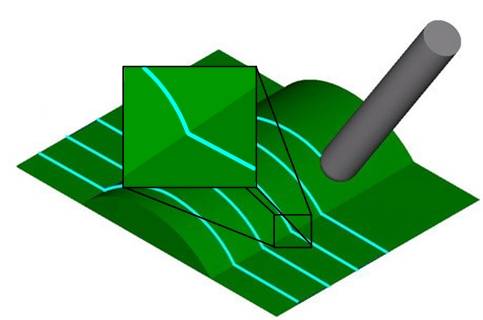
-
This is the toolpath without Round Corners activated.
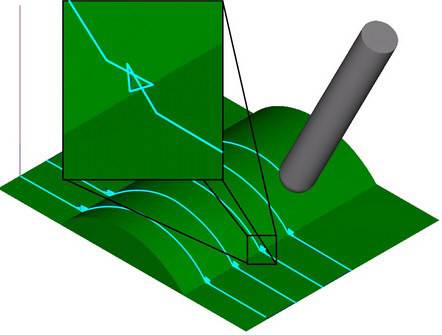
-
This is the toolpath with Round Corners activated.