Lathe Machine Setup
Introduction
This topic will explain the context menu of the Lathe Machine Setup, will briefly describe the Lathe Machine Setup, and will provide links to related topics.
The Machine Setup Context Menu
The Lathe Machine Setup item in the Turning Job is used to add Lathe features, edit the clearance plane values, and define the machining origin for the job.
Important: BobCAM for
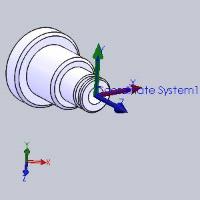
Right-click Machine Setup to open a shortcut menu with the following commands. These include commands for modifying the machine setup (clearance plane values) and adding machining features.
 Machine Setup >> - The flyout for the Machine Setup will allow you to view, or change, the Face, Diameter, and/or Internal Diameter Clearance values.
-
Edit - opens the Machine Setup dialog box for you to edit the clearance plane values for the job.
-
Lathe End Face - opens the Lathe Wizard for you to create a Lathe Face feature. This handles ID and OD machining with the available operations: Rough, and Basic Finish.
- Lathe Turning
- opens the Lathe
Wizard for you to create a Lathe Turning feature. This handles
ID and OD machining with the available operations: Rough, Pattern
Repeat, and Basic Finish.
- Lathe Groove -
opens the Lathe
Wizard for you to create a Lathe Groove feature. This handles
ID and OD machining with the available operations: Groove Rough,
Groove Finish, and Basic Finish.
- Lathe Hole
- opens the Lathe
Wizard for you to create a Lathe Hole feature. This handles
drilling with the available operations: Center Drill, Drill, Chamfer,
Bore, and Ream.
- Lathe Tap Hole
- opens the Lathe
Wizard for you to create a Lathe Hole feature. This handles
tapping with the available operations: Center Drill, Drill, Chamfer,
Ream, Tap, and Rolling Tap.
- Lathe Thread -
opens the Lathe
Wizard for you to create a Lathe Thread feature. This handles
threading with the available operation: Thread.
- Lathe Cutoff
- opens the Lathe
Wizard for you to create a Lathe Cutoff feature. This handles
part/stock cutoff with the available operation: Cutoff.
- Lathe Stock Handling
- opens the Lathe
Wizard for you to create a Lathe Stock Handling feature. This
handles stock feed for bar pullers with the available operation:
Stock Feed.
- Update All Geometries
- Updates all geometry associated in the CAM
Tree.
- Compute All Toolpath
- computes the operations of all features contained in the Machine
Setup.
- Add Group -
adds a folder to your CAM Tree. Drag and drop features into the
folder to save space in the CAM Tree and have the control to set
Post All Yes/No and Blank/Unblank Toolpath options on all features
inside of the folder at one time.
- Load Feature
- allows you to locate and add a previously saved milling feature
to the tree.
- Paste Feature
- is used to paste a copied feature to the Machine Setup after
the last existing feature.
- Delete All Features
- removes all milling features in the Machine Setup.
- Post All Yes/No
- sets all toolpaths in the Machine Setup to post or not post
in the NC program.
- Blank/Unblank Toolpath
- allows you to hide or show all toolpaths in the Machine Setup.
-
Collapse Items - collapses the child items of the Machine Setup. This is the same as clicking the minus sign (
 )
next to all child items.
)
next to all child items. -
Expand Items - expands the child items of the Machine Setup. This is the same as clicking the plus sign (
 )
next to all child items.
)
next to all child items.
-
Rename - enables editing of the Machine Setup name in the CAM Tree. Type the new name for the setup.
Next Topic
Click here to go to the Lathe Features Overview topic.
