; ?>)
Surfacing CAM Software for Molds, Complex Geometry & Superior Finishes
Surface-based finish and cycle time are everything in mold work, aerospace, and cosmetic machining. BobCAD-CAM 3D surfacing CAM software provides your shop with 8 powerful toolpaths to tackle any project, delivering the best finish a CNC machine can achieve.
Why CNC Shops Choose BobCAD-CAM as their mold machining software
High-end surface finish, predictable toolpaths, and practical workflows engineered for real mold machining environments.
Finish from True Surfaces (Not Just Mesh)
For mold machining, aerospace, or cosmetic parts, surface direction and continuity are critical. Surface-based toolpaths follow true NURBS geometry—delivering smoother finishes, tighter tolerances, and more predictable results than mesh-driven alternatives on every critical cavity pass.
- Better finish patterns where quality is non-negotiable
- More control over how the tool follows real mold geometry
- Ideal for injection mold cavities, die inserts, and cosmetic housings
Rough Faster with Smarter Motion
Advanced trochoidal-style roughing distributes tool load more evenly through hardened tool steel and tough materials used in mold machining—helping shops reduce roughing cycle time and extend tool life on aggressive material removal jobs.
- Ideal for long-cycle mold roughing on P20, H13, and S7 steels
- Reduces spindle load spikes and minimizes unexpected tool breakage
- Often cuts roughing runtime significantly on large cavity blocks
Maintain Consistent Feed Rate Through Every Mold Machining Pass
When direction changes happen, an “average feed rate” can cause chatter or inconsistent finish. Feed-rate control helps regulate motion through those changes for a smoother cut.
- Improves finish consistency on long 3D mold machining paths
- Reduces chatter risk on ball end mills and sensitive finishing tools
- Delivers more repeatable results across multiple cavity setups
The value story
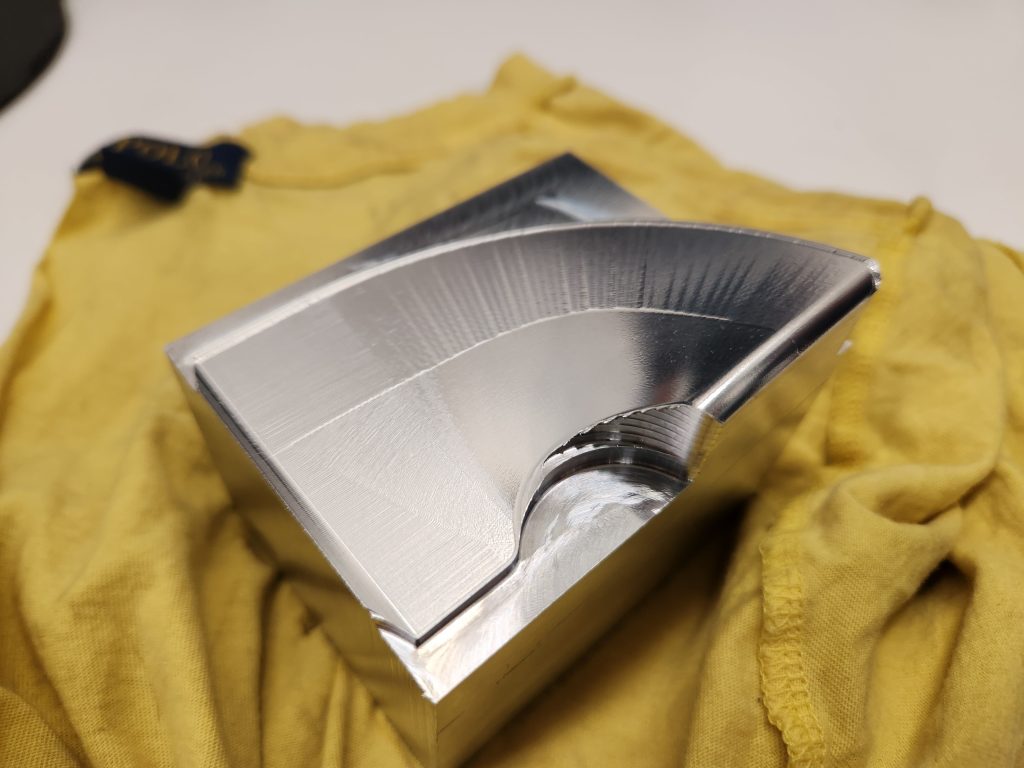
During a live training seminar in Mexico with Magove, we tested the Pro and Premium toolkits under identical conditions: the same surface, stepover, tolerance, and machining parameters. The difference in surface finish and toolpath quality was significant, clearly showing the advantage of the Premium strategies in a real-world machining environment and demonstrating why BobCAD-CAM Premium is superior as a mold machining software. Watch the live comparison video here
Key Mold Machining CAM Capabilities
Plain-language explanations you can share with programmers, leads, and shop owners evaluating mold machining CAM software.
3D Mold Machining & Surfacing CAM Capabilities
Advanced Roughing (Trochoidal-style) – reduce roughing time and tool load Expand/Collapse
Advanced roughing uses smarter motion to keep tool engagement more consistent throughout mold machining and complex material removal. The result is often faster roughing and better tool life—especially on heavy pocketing or long cycle-time jobs.
What this means in the shop
Less time roughing + less “tool abuse” + a more stable cut when material removal is aggressive.
- Best for: molds, hard materials, long roughing runtimes
- Why it matters: cycle-time reduction and fewer tool-related problems
Equidistant Feed-Rate Control – smoother finishing through direction changes Expand/Collapse
Mold machining finishing toolpaths include countless direction changes. Feed-rate control helps regulate feed through corners and transitions—slowing before changes and accelerating after—so you can maintain a more stable, consistent cut on every surface pass.
What this means in the shop
Better stability and fewer “chatter moments” on long surface toolpaths.
- Best for: long 3D finishing, chatter-sensitive tools/materials
- Why it matters: improves surface finish consistency and reduces risk
Surface-Based Finishing – when finish quality is non-negotiable Expand/Collapse
Many mold-machining software packages rely on mesh-based data behind the scenes. When you need the best possible finish on a cavity or cosmetic part, surface-based finishing follows true surface direction for a more refined and accurate result.
What this means in the shop
Cleaner finish patterns and more predictable finishing on molds and cosmetic surfaces.
- Best for: molds, aerospace, high-visibility parts, critical surface quality
- Why it matters: finish quality without stepping up to “luxury-priced” CAM
Barrel Tool Support – high-end finishing with fewer passes Expand/Collapse
Barrel tools can improve surface finish in mold machining while allowing a larger effective step-over. That often means you can achieve a superior finish with fewer passes compared to traditional ball end mill finishing—significantly reducing cycle time on large cavity surfaces.
What this means in the shop
Better finish in less time—especially on large surfaces where finishing passes dominate runtime.
- Best for: molds, large surfaces, parts where finishing time is the bottleneck
- Why it matters: premium-style results with practical cycle times
Practical Mold Machining Workflow – import, program, simulate, post Expand/Collapse
Effective mold machining CAM must work end-to-end in a real shop environment: import customer geometry, build a structured roughing and finishing plan, verify motion before cutting, then output clean G-code for your specific CNC control. BobCAD-CAM handles this full workflow in one integrated system—no separate CAD license, no third-party post editor required. According to the Moldmaking Technology industry resource, integrated CAD-CAM environments reduce programming handoff errors and accelerate time-to-cut on complex mold geometry.
- Import: STEP, IGES, SOLIDWORKS, and other common mold design formats
- Program: select the right roughing + finishing strategy for each cavity feature
- Verify: visualize full material removal and catch gouges before you cut
- Post: produce machine-ready G-code with customizable post processors for your control
From Mold Machining Toolpath to Mirror Finish — Ready for Your CNC
Verify motion, reduce costly surprises, and keep long finishing passes smooth and predictable on every run.
Simulation, Verification, and Clean G-Code Output
High-end mold machining demands more than beautiful toolpath lines on a screen. Your CAM software must translate those strategies into motion your machine can execute reliably—without mid-program surprises on a $40,000 mold block. BobCAD-CAM helps you validate every operation before cutting material and generate CNC-ready G-code that maintains smooth, accurate finishes across roughing, semi-finishing, and final mold cavity passes.
- Visualize material removal and finishing passes before you cut a single chip
- Catch potential gouges, collisions, and motion issues earlier to reduce rework and scrap
- Maintain motion quality and surface consistency through long 3D finishing toolpaths
- Less hand editing at the machine—more confidence on the first run
- Customizable post processors tuned to your specific CNC control and mold machining center
Industries & Applications That Rely on Mold Machining CAM
BobCAD-CAM’s advanced 3D surfacing capabilities serve a wide range of precision mold machining environments across North America.
Injection Mold & Die Machining
Precision mold machining of cavities, core pins, lifters, and die inserts demands tight tolerances and superior surface finish to produce quality plastic parts with minimal hand polishing. BobCAD-CAM’s surface-based finishing strategies deliver the accuracy required for plastic injection molds, die casting tooling, and progressive stamping dies—reducing finishing time while improving part-to-part consistency across production runs.
Aerospace & Defense Components
Aerospace machining requires predictable motion, repeatable surface finishes, and clean G-code output— especially when machining structural fixtures, airfoil geometry, and compound-curved housing components. BobCAD-CAM’s 3D surfacing toolpaths meet the precision demands of aerospace shops, with full machine simulation before you commit a part to the spindle.
Medical Device & Prototype Tooling
From surgical instrument molds to prototype tooling and tight-tolerance medical device housings, mold machining surface finish quality is non-negotiable. Barrel tool support and equidistant feed-rate control help achieve clean, accurate finishes on biocompatible and stainless materials where surface integrity directly affects function and regulatory compliance.
Shops running mill-turn CNC machining centers can combine 3D mold machining surfacing strategies with live-tool turning operations—completing complex parts in fewer setups. According to the Society of Manufacturing Engineers (SME), integrating CAD and CAM in a single environment measurably reduces programming time, setup errors, and time-to-first-cut across precision mold machining segments.
Mold Machining Toolpath Videos
Quick walkthroughs of the surfacing and mold machining features CNC shops ask about most.
Mold Machining CAM Software — Frequently Asked Questions
Common questions from shops evaluating BobCAD-CAM for molds, complex parts, and 3D surface finishing work.
Mold Machining FAQ
Is BobCAD-CAM mold machining software only for mold shops? Expand/Collapse
No. While BobCAD-CAM excels at injection mold machining, die machining, and core/cavity programming, the same 3D surfacing capabilities serve aerospace structural components, medical device tooling, automotive body panels, and any CNC application where surface finish, motion quality, and accurate toolpath following are critical. If your work involves complex geometry and tight surface finish requirements, BobCAD-CAM’s surfacing module is built for it.
We receive STL files from customers — can BobCAD-CAM machine from them? Expand/Collapse
Yes — BobCAD-CAM can generate toolpaths from STL mesh data for standard mold machining work. However, for jobs where surface finish is the priority, surface-based finishing toolpaths (from STEP or IGES geometry) follow true NURBS surface direction rather than mesh facets — and that difference is visible in the final part finish. Many shops use STL for roughing, then request a native CAD file from the customer for final finishing passes on critical mold cavities.
What’s the biggest win customers see first? Expand/Collapse
The most common first-win is one of three things: significantly faster roughing cycle times on heavy mold blocks thanks to trochoidal-style motion, noticeably smoother surface finish on cavity walls with less chatter, or a reduction in hand polishing time after machining. Shops doing large, long-runtime jobs often see the roughing improvement first — it directly reduces machine hours and tool costs on every job.
Can we see this on our part before we decide? Expand/Collapse
Yes—schedule a demo and bring a sample file. We’ll focus on the toolpaths and strategies that matter for your machines, materials, and finish requirements.
Best next step
Bring one “problem part” (finish, chatter, long cycle-time) and we’ll show the quickest path to improvement.
How does BobCAD-CAM compare to Mastercam or PowerMill for mold machining? Expand/Collapse
BobCAD-CAM delivers the core advanced mold machining strategies — trochoidal roughing, surface-based finishing, barrel tool support, and equidistant feed-rate control — at a fraction of the investment required by Mastercam or Autodesk PowerMill. Enterprise CAM packages often cost five figures or more in licensing and annual maintenance. BobCAD-CAM offers a modular, scalable path: start with what your shop needs today and expand as work demands grow. For job shops, tool rooms, and mid-size mold manufacturers, that cost-to-capability ratio is a decisive advantage.
What CAD file formats does BobCAD-CAM support for mold machining workflows? Expand/Collapse
BobCAD-CAM supports the most common CAD file formats used in mold machining and die work, including STEP, IGES, DXF, STL, and native SOLIDWORKS files (via the BobCAM for SOLIDWORKS plugin). This means you can accept geometry from virtually any customer or mold design vendor and move directly into toolpath programming without manual translation steps.


