
CAD Tree Optimization
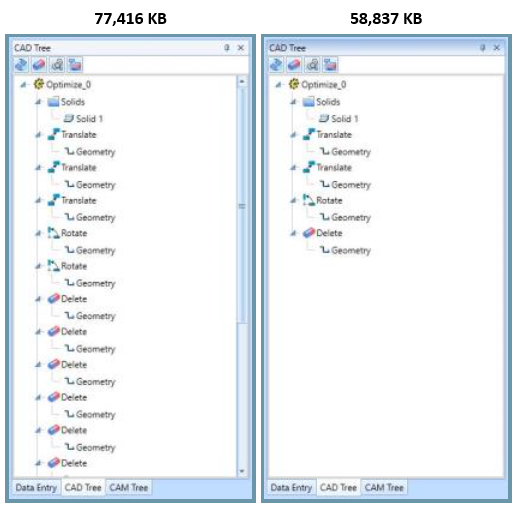
For the customers that utilize the CAD Tree to modify previous steps, we offer the ability to optimize the CAD Tree History. One thing we see a lot of is many incremental translations to get to a single result. The same thing goes for Rotate, Rotate 3D, and Delete. Instead of a single instance, many have been used in a row to achieve the result. Since every step is tracked and saved this causes a file size much larger than it needs to be. Now, you can simply optimize these functions and instead of tracking five separate instances of Translate to get from A to B, we simplify it to a single tracked instance. This can be applied to:
- Translate
- Rotate
- Rotate 3D
- Delete
In the example below, you can see a CAD Tree with some room for optimization, and the result of using the Optimize CAD Tree option. Notice the file size difference:
If you need further assistance, please contact our support team at (727) 489 – 0003 or [email protected]